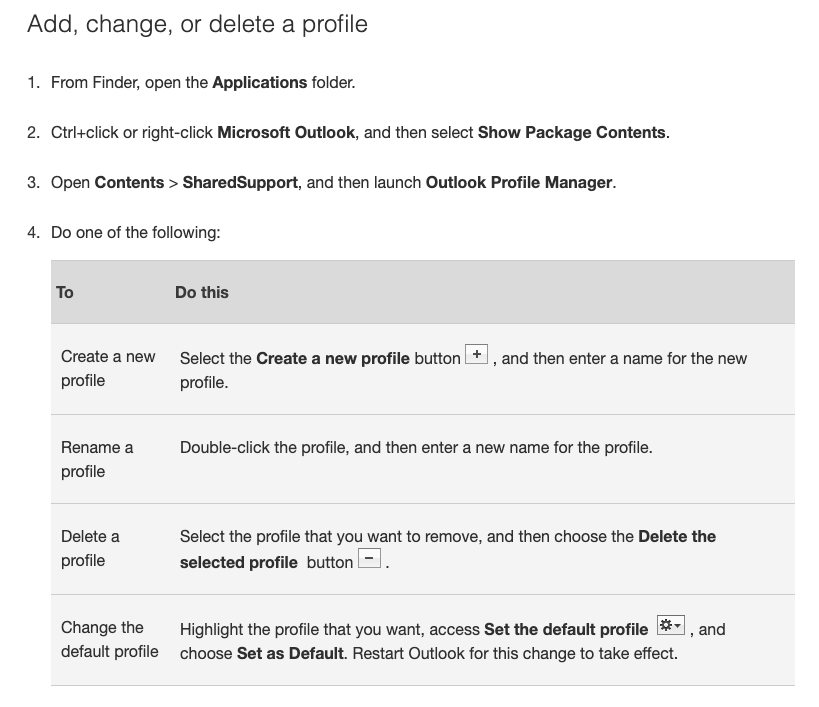
Problem with Outlook profile on mac?
Use the license removal tool that you can download here:
License removal tool (for Mac).
Maybe you have used one login (from work) to install office… and then you need to use license/login from another user… then use the above tool to remove all old licenses.
You can just leave the office installation – the activation just restarts.
Nice guide if your recovery OS is an older version and/or doesn’t work, you can install from a USB drive:
Install Brew package manager: https://coolestguidesontheplanet.com/installing-homebrew-os-x-yosemite-10-10-package-manager-unix-apps/
The install the postgREST server: http://postgrest.com/install/server/
arp -a | grep :
Shows all the connected IP’s on the network.
Anbefalinger til integreret E-conomic, POS og Webshop
Økonomi system, lagerstyring og POS (kasse system).
Én integreret løsning, hvor alt er samlet… samme lager, så det der er online er det samme der er i butikken.