Kategoriarkiv: IT software

SSH keys med Putty

Til nogle ssh forbindelse kan du ikke logge ind med username/password, men skal bruge en private key file. Dette konfigures i putty her:

eller her:

Du kan bruge Putty Keytool til at lave en ppk fil fra en Linux SSH key fil.

Hvis du vil port-forwarde gøres det her:

Home Assistant

Er godt til at integrere LK IHC i dit hjem med Apple Home.

Installer Home Assistant som beskrevet her: https://www.home-assistant.io/installation/raspberrypi

Når den er startet på dit netværk, så vil den automatisk konfigurere de enheder den selv kan finde, some Apple Home og Shelly.

Efterfølgende skal der laves noget konfiguration af Home Assistant for at du får adgang til dine IHC enheder. Vælg Instillinger og Tilføjelsesprogrammer:

Find og installer File Editor:

Nu skal du indtaste URL til din IHC Controller. Vælg Browse og åben filen /config/configuration.yaml

og tilføj dette, med den rette indrykning:

Det er også beskrevet her: https://www.home-assistant.io/integrations/ihc

Gå ind i Instillinger, System og Genstart din Raspberry Pi:

Gå nu til Instillinger – Enheder og Tjenester og konfigurer HASS Bridge:

Nu vil alle IHC udgange være tilgængelig i Home Assistant og kan omdøbes efter behov:

Endeligt kan du i Notifikationer konfigurere Apple Home med Home Assistant:

Hvorefter alle enheder er tilgængelig i Apple Home.

Certificate error on old Mac?

Do you have an old Mac running Capitain… Mac OS older than 12.2, then you might get problems with a lot of web sites… even though they are safe.

This web site helped me: https://docs.certifytheweb.com/docs/kb/kb-202109-letsencrypt/

  • Download the certificate from here: http://x1.i.lencr.org/
  • Open the Keychain Access app and drag that file into the System folder of that app.
  • Find the ISRG Root X1 certificate in System and double click on it, open the Trust menu and change “Use System Defaults” to “Always Trust”, then close that and enter your password to confirm the change (if prompted)

Facebook privacy

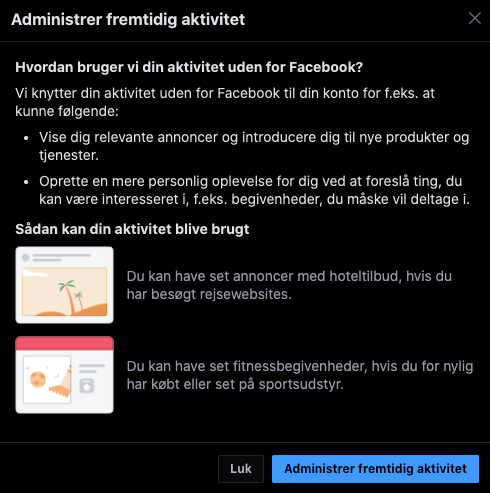
This is a description of how to see which information Facebook has collected through cookies… from other sites and apps on your phone that you have used.

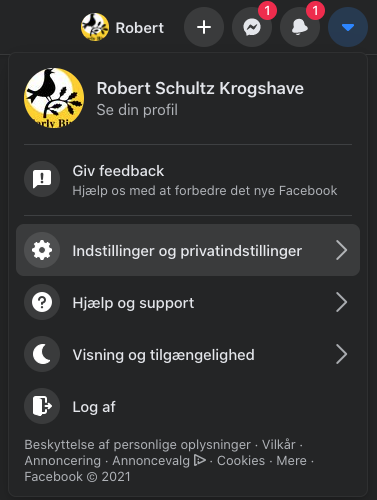
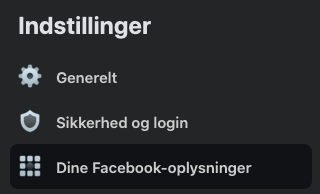
The menus to follow:

Now you might need to login and then you can a long list of all the “recordings” – examples including financial apps:

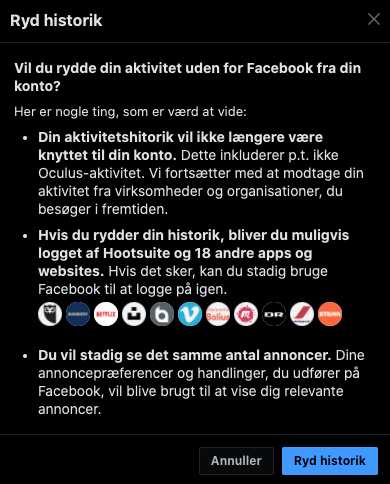
Ryd Historik!

Yes please:

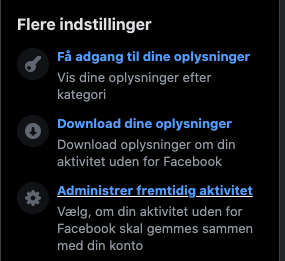
Delete future logs:

Add spacer in the Dock on Mac

Run this command in the terminal for each space you want:

defaults write com.apple.dock persistent-apps -array-add ‘{tile-data={}; tile-type=”spacer-tile”;}’

Reload the Dock with this command:

killall Dock

Now you can move the spaces around in order to group your apps:

Reinstall Mac OS X fails

One some older Mac’s some issue can install with the automatic installation when you boot with Option-R / Option-Shift-R.

A possible workaround is to make an internet install on an external disk and then let the installation start from that.

  1. Start your Mac holding down Command + R.
  2. Prepare a clean external drive (at least 10 GB of storage).
  3. Within OS X Utilities, choose Reinstall OS X.
  4. Select external drive as a source.

Your Mac will restart and make the installation…

Thanks to this site.